Uncategorized / August 16, 2026

SaaS Development Cost in 2026

SaaS Development Cost in 2026: A Complete Budgeting Guide from MVP to Enterprise Building a SaaS product can be an exciting business opportunity, but one of the first questions founders and businesses ask is: How much does SaaS development cost in 2026? The answer depends heavily on the product’s complexity, number of users, features, integrations, […]
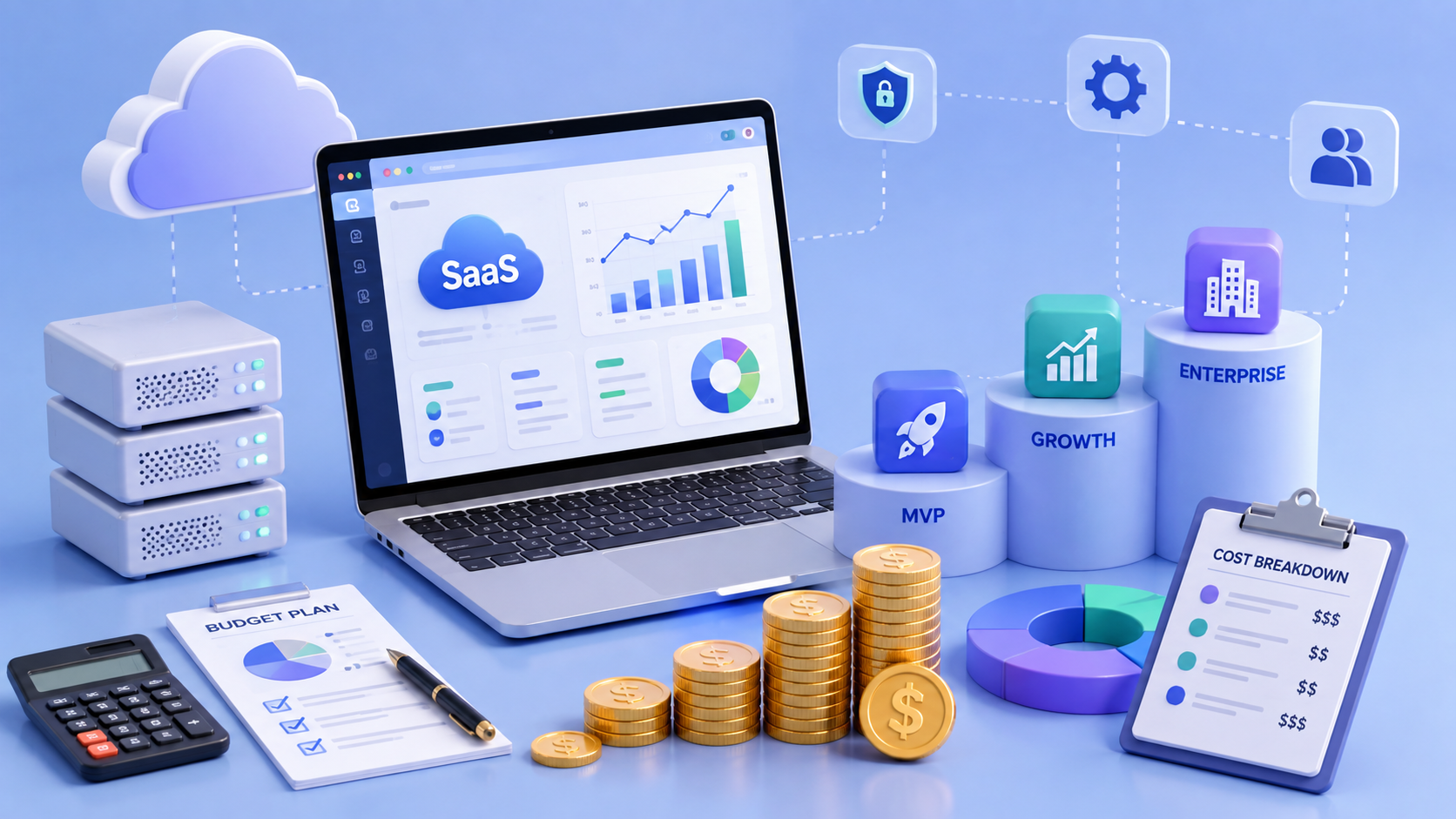
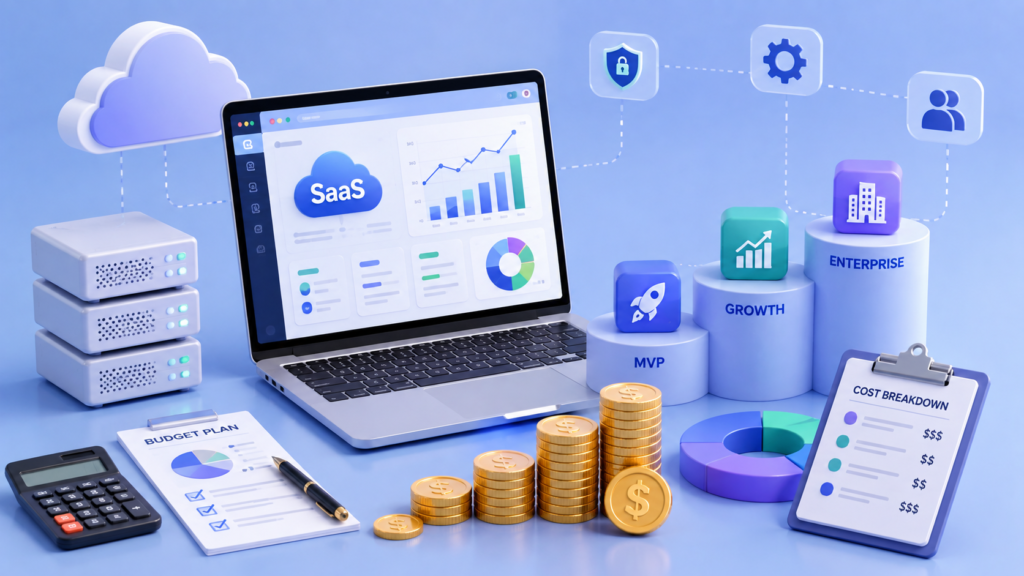
SaaS Development Cost in 2026: A Complete Budgeting Guide from MVP to Enterprise

Building a SaaS product can be an exciting business opportunity, but one of the first questions founders and businesses ask is: How much does SaaS development cost in 2026?

The answer depends heavily on the product’s complexity, number of users, features, integrations, technology stack, security requirements, and scalability goals.

A simple SaaS MVP may cost a few lakh rupees, while a production-ready enterprise SaaS platform can require several crores. Current 2026 estimates show wide variation because SaaS products range from small single-purpose applications to complex multi-tenant platforms with AI, advanced analytics, billing, and enterprise security.

In this guide, we’ll break down the SaaS development cost in 2026, including MVP development, feature costs, technology choices, team requirements, ongoing expenses, development timelines, and practical ways to control your budget.

How Much Does It Cost to Build a SaaS Product in 2026?

As a broad planning range, SaaS development can fall into these categories:

SaaS Product Type Estimated Development Cost Typical Timeline
SaaS Prototype / Proof of Concept ₹1.5 Lakh – ₹4 Lakh 3–6 weeks
Basic SaaS MVP ₹3 Lakh – ₹8 Lakh 6–12 weeks
Standard Multi-Tenant SaaS ₹8 Lakh – ₹20 Lakh 3–6 months
Advanced SaaS Platform ₹20 Lakh – ₹50 Lakh+ 5–9 months
Enterprise SaaS ₹50 Lakh – ₹1 Crore+ 9–18+ months

These figures are indicative rather than fixed quotations. Scope, architecture, integrations, team composition, security requirements, and product complexity can move the final budget substantially.

What Is SaaS?

SaaS stands for Software as a Service.

Instead of installing software locally, users access a SaaS product through the internet, generally using a web browser or mobile application.

Popular SaaS categories include:

  • CRM platforms
  • Project management tools
  • Accounting software
  • HR management systems
  • Marketing platforms
  • Communication tools
  • Ecommerce software
  • Healthcare platforms
  • Logistics software
  • AI-powered applications
  • Business analytics platforms

Most SaaS businesses operate using a subscription model such as monthly or annual plans.

A typical SaaS architecture may include:

Frontend + Backend + Database + Authentication + Subscription Billing + APIs + Cloud Infrastructure + Admin Panel

Each of these components contributes to the overall development cost.

SaaS Development Cost by Product Complexity

1. SaaS Prototype or Proof of Concept

A prototype is designed to validate an idea before investing heavily in development.

It may include:

  • Basic UI
  • Core user flow
  • Clickable prototype
  • Limited functionality
  • Basic technical demonstration

Estimated Cost

₹1.5 Lakh – ₹4 Lakh

Best For

  • Testing an idea
  • Investor demonstrations
  • User feedback
  • Validating product workflows

A prototype is not normally intended to serve thousands of real customers.


2. SaaS MVP Development

An MVP, or Minimum Viable Product, contains the essential features required to launch and validate a SaaS business.

Typical MVP functionality may include:

  • User registration
  • Login
  • User profile
  • Dashboard
  • Core SaaS workflow
  • Basic admin panel
  • Subscription plans
  • Payment integration
  • Email notifications

Estimated Cost

₹3 Lakh – ₹8 Lakh

However, more sophisticated SaaS MVPs with multiple user roles, integrations, analytics, and multi-tenancy can cost considerably more. Recent 2026 India estimates place many properly scoped SaaS MVPs in ranges from roughly ₹1.5 lakh to ₹8 lakh depending on scope.


3. Standard Multi-Tenant SaaS

A multi-tenant SaaS allows multiple businesses or organizations to use the same application while keeping their data and permissions separated.

For example, a CRM SaaS may have:

Company A → Users → Data

Company B → Users → Data

Company C → Users → Data

This requires more sophisticated architecture than a basic single-user application.

Estimated Cost

₹8 Lakh – ₹20 Lakh

Features may include:

  • Multi-tenancy
  • Multiple user roles
  • Subscription management
  • Team management
  • Advanced dashboards
  • API integrations
  • Notifications
  • Analytics
  • Admin controls
  • Security features

4. Advanced SaaS Platform

An advanced SaaS product may include multiple modules and complex business workflows.

For example:

  • CRM
  • Billing
  • Reporting
  • Analytics
  • Automation
  • AI features
  • Third-party integrations
  • Advanced permissions
  • Mobile applications

Estimated Cost

₹20 Lakh – ₹50 Lakh+

At this stage, architecture and scalability become increasingly important because the product needs to support more users, data, integrations, and business processes.


5. Enterprise SaaS

Enterprise SaaS platforms are built for large organizations with demanding security, scalability, integration, and compliance requirements.

They may include:

  • Enterprise authentication
  • Single Sign-On (SSO)
  • Role-based access control
  • Audit logs
  • Advanced analytics
  • AI modules
  • Multiple APIs
  • Enterprise integrations
  • High availability
  • Data encryption
  • Advanced monitoring
  • Custom workflows
  • Compliance requirements

Estimated Cost

₹50 Lakh – ₹1 Crore+

Complex enterprise products can go significantly beyond this range depending on the requirements.

Major Factors That Affect SaaS Development Cost

The development cost isn’t determined by the number of pages alone.

Several technical and business factors affect the final budget.

1. Product Complexity

A simple appointment scheduling SaaS is significantly easier to build than an enterprise ERP platform.

Complexity increases when the product requires:

  • Multiple workflows
  • Advanced permissions
  • Automation
  • Real-time functionality
  • AI
  • Analytics
  • Multiple integrations
  • Complex business rules

2. Number of User Roles

A SaaS application may have different users such as:

  • Super Admin
  • Business Admin
  • Manager
  • Employee
  • Customer
  • Vendor

Each role may require different permissions and workflows.

The more complex the permission system, the more development and testing are required.


3. Multi-Tenant Architecture

Multi-tenancy is one of the most important architectural decisions for SaaS products.

The application needs to ensure that each organization’s data remains isolated and secure while allowing the platform to scale efficiently.

Multi-tenant architecture can increase both initial development complexity and testing requirements.


4. UI/UX Design

A professional SaaS product requires more than functional screens.

The design may include:

  • User research
  • Information architecture
  • Wireframes
  • Prototypes
  • Design systems
  • Responsive layouts
  • Accessibility
  • Usability testing
  • Custom dashboards

Investing in UX early can help reduce usability problems and expensive redesigns later.


5. Backend Development

The backend handles the core business logic of the SaaS product.

It may manage:

  • Users
  • Authentication
  • Permissions
  • Database operations
  • APIs
  • Payments
  • Notifications
  • Business workflows
  • Integrations
  • Security

The complexity of the backend can have a major impact on development time and cost.


6. Third-Party Integrations

Integrations can significantly increase SaaS development costs.

Common integrations include:

  • Stripe
  • PayPal
  • Razorpay
  • Salesforce
  • HubSpot
  • Slack
  • Google APIs
  • Microsoft APIs
  • Email services
  • SMS providers
  • Accounting systems
  • ERP platforms
  • AI APIs

Every integration requires development, authentication, testing, error handling, and ongoing maintenance.


7. AI Features

AI is becoming a major component of SaaS products in 2026.

AI functionality may include:

  • AI chatbots
  • AI content generation
  • Document analysis
  • Recommendation engines
  • AI search
  • Predictive analytics
  • RAG-based knowledge assistants
  • Automated workflows

Adding AI can increase both development and operational costs because businesses may need AI APIs, vector databases, additional infrastructure, evaluation systems, and monitoring.


8. Security Requirements

Security becomes especially important when a SaaS platform handles sensitive business or customer information.

Depending on the product, requirements may include:

  • Encryption
  • Secure authentication
  • Role-based access
  • API security
  • Data isolation
  • Audit logs
  • Backup systems
  • Monitoring
  • Vulnerability testing
  • Compliance requirements

Enterprise and regulated-industry SaaS products typically require more investment in security than basic applications.

SaaS Development Cost Breakdown

A SaaS development budget can generally be divided across several areas.

Development Area Typical Impact on Budget
Discovery & Planning 5% – 10%
UI/UX Design 10% – 15%
Frontend Development 15% – 25%
Backend Development 20% – 30%
Database & Architecture 5% – 15%
Testing & QA 10% – 15%
DevOps & Deployment 5% – 10%
Integrations Depends on Scope
Security & Compliance Depends on Requirements

These percentages are useful for budgeting, but an actual project should be estimated from the features and technical architecture rather than applying fixed percentages.

SaaS Development Timeline

The development timeline depends on the scope and team size.

Prototype

3–6 weeks

SaaS MVP

6–12 weeks

Multi-Tenant SaaS

3–6 months

Advanced SaaS

5–9 months

Enterprise SaaS

9–18+ months

A larger development team doesn’t always mean a proportionally faster project. Architecture, dependencies, testing, and product decisions can become bottlenecks.

Technology Stack for SaaS Development

The technology stack depends on the product’s requirements.

A typical modern SaaS stack may include:

Frontend

  • React
  • Next.js
  • Vue.js
  • Angular

Backend

  • Node.js
  • Python
  • Java
  • .NET
  • PHP

Database

  • PostgreSQL
  • MySQL
  • MongoDB
  • Redis

Cloud

  • AWS
  • Microsoft Azure
  • Google Cloud

DevOps

  • Docker
  • Kubernetes
  • CI/CD
  • Cloud monitoring

The best technology stack isn’t necessarily the newest one. It should be selected based on scalability, developer availability, performance, security, and long-term maintenance.

SaaS Development Cost: In-House vs Outsourcing

Businesses generally have three common options for building SaaS products.

In-House Development

You hire your own team.

Advantages

  • Full control
  • Long-term product knowledge
  • Direct communication

Disadvantages

  • Higher hiring costs
  • Salaries and benefits
  • Infrastructure expenses
  • Recruitment time
  • Team management

Freelancers

Freelancers can be useful for smaller projects or specific tasks.

Advantages

  • Lower initial cost
  • Flexible hiring
  • Useful for specific expertise

Disadvantages

  • Communication challenges
  • Limited accountability
  • Availability issues
  • Difficult to manage large projects

Software Development Company

A professional development company can provide a complete team including:

  • Business analysts
  • UI/UX designers
  • Developers
  • QA engineers
  • DevOps engineers
  • Project managers

This approach can be useful for businesses that want to build and launch a complete SaaS product without creating an internal engineering team.

Hidden Costs of SaaS Development

Many businesses focus only on the initial development quote.

However, SaaS has ongoing costs after launch.

Cloud Hosting

You may need to pay for:

  • Servers
  • Databases
  • Storage
  • CDN
  • Monitoring
  • Backups

Third-Party Services

Recurring expenses can include:

  • Payment gateways
  • Email services
  • SMS
  • AI APIs
  • Analytics
  • Customer support tools

Maintenance

A production SaaS product needs regular:

  • Bug fixes
  • Security updates
  • Performance improvements
  • Dependency updates
  • Feature enhancements

Customer Support

As the number of customers grows, you may also need dedicated support infrastructure and staff.

Recent 2026 SaaS cost guides emphasize that the real budget should account for both the initial build and ongoing operating costs rather than treating development as a one-time expense.

How to Reduce SaaS Development Costs

Reducing cost doesn’t necessarily mean choosing the cheapest development team.

The better strategy is to reduce unnecessary scope.

Start With an MVP

Build only the features required to validate your business model.

Avoid building features that users may never use.

Prioritize Features

Divide features into:

Must Have

Should Have

Could Have

Future

Build the “Must Have” features first.

Use Existing APIs

Instead of developing every service from scratch, use reliable third-party APIs where appropriate.

Choose the Right Architecture

Don’t over-engineer an early-stage product, but don’t make architectural decisions that will make future scaling unnecessarily difficult.

Invest in UX Early

A well-planned UX can reduce redesign and development rework.

Automate Testing and Deployment

CI/CD and automated testing can reduce repetitive work and make future releases safer.

How Much Should You Budget for the First Year?

The initial development cost is only part of the total investment.

For example, if your SaaS development costs ₹10 lakh, your first-year budget should also account for:

  • Cloud infrastructure
  • Domain and SSL
  • Third-party APIs
  • Payment processing
  • Email/SMS services
  • Monitoring
  • Maintenance
  • Security
  • Customer support
  • Marketing

This means your actual first-year SaaS investment can be significantly higher than the development quotation alone.

SaaS ROI: Is It Worth the Investment?

SaaS can be highly scalable because the same software platform can serve many customers.

Once the core platform is built, additional customers can often be onboarded without rebuilding the product from scratch.

However, profitability depends on factors such as:

  • Customer acquisition cost
  • Monthly recurring revenue
  • Customer lifetime value
  • Churn rate
  • Infrastructure costs
  • Support costs
  • Development costs

A successful SaaS business therefore needs both a strong product and a sustainable business model.

Final Thoughts

The SaaS development cost in 2026 can range from a few lakh rupees for a focused MVP to ₹1 crore or more for a complex enterprise platform.

The biggest mistake businesses can make is trying to determine the cost based only on the number of screens or features.

A realistic SaaS budget should consider:

Product Scope + UX + Architecture + Development + Integrations + Security + Testing + Infrastructure + Maintenance

Start with a clear product strategy, define your MVP, prioritize the features that directly support your business goals, and choose an architecture that can evolve with your customer base.

The goal isn’t to build the cheapest SaaS product.

The goal is to build the right SaaS product at the right stage of your business.

Frequently Asked Questions

How much does it cost to build a SaaS product in 2026?

A SaaS product can cost approximately ₹3 lakh–₹8 lakh for a focused MVP, ₹8 lakh–₹20 lakh for a standard multi-tenant platform, and ₹50 lakh–₹1 crore+ for enterprise-level solutions. The actual cost depends on scope and technical requirements.

How much does a SaaS MVP cost in India?

A focused SaaS MVP can start around ₹3 lakh, while more feature-rich MVPs can reach ₹8 lakh or more. Multi-tenant architecture, multiple user roles, integrations, billing, and analytics can increase the budget significantly.

How long does it take to build a SaaS product?

A basic MVP can take around 6–12 weeks, while a production-ready multi-tenant SaaS product can take several months. Enterprise SaaS platforms may require 9–18 months or more.

What factors affect SaaS development cost?

The major factors include product complexity, number of user roles, multi-tenancy, UI/UX requirements, integrations, AI functionality, security, compliance, technology stack, testing, and scalability requirements.

Does SaaS development have ongoing costs?

Yes. SaaS products require ongoing spending on cloud hosting, APIs, maintenance, security, monitoring, support, and product improvements.

Is it better to build SaaS in-house or outsource development?

Both approaches can work. In-house teams provide greater long-term control, while outsourcing can provide access to a complete development team without the cost and time required to build an internal team.

Can AI reduce SaaS development costs?

AI-assisted development can improve developer productivity and speed up certain tasks, but it doesn’t eliminate the need for architecture, security, testing, product management, and experienced engineering. The build-vs-buy decision should consider total ownership cost, not just coding speed.


"Tech tools are the threads, but the fabric is woven through the way we understand each other, grow, and heal together."

aaru6205
Lead Strategist
Uncategorized / August 16, 2026

Yard Management System Benefits

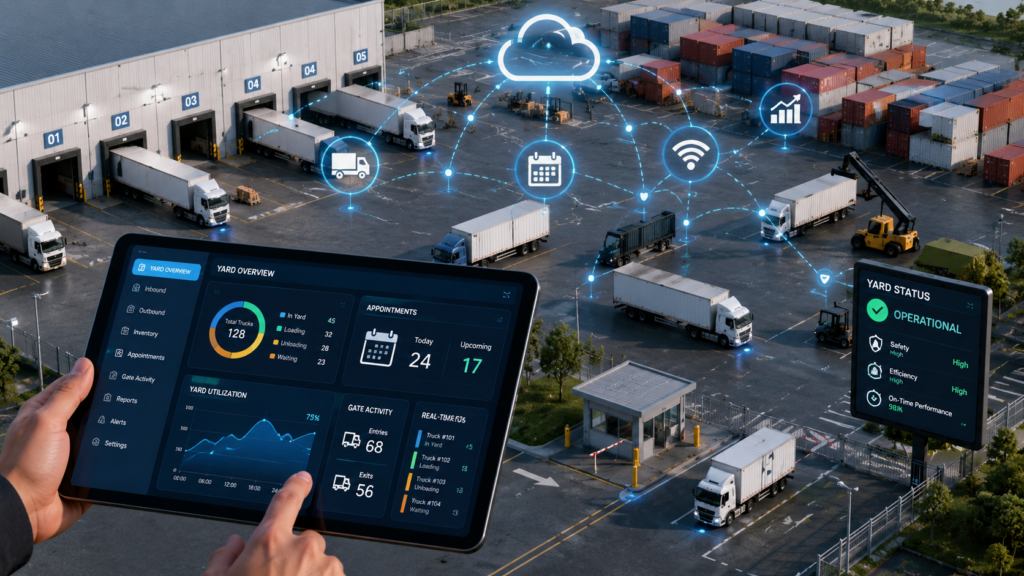
Yard Management System Benefits: How Digitizing Your Yard Drives ROI in 2026 Managing a busy yard manually can quickly become complicated. Trucks arrive at different times, drivers wait for instructions, trailers need to be located, inventory moves between different areas, and yard teams need to coordinate with warehouse and transportation operations. As supply chains become […]

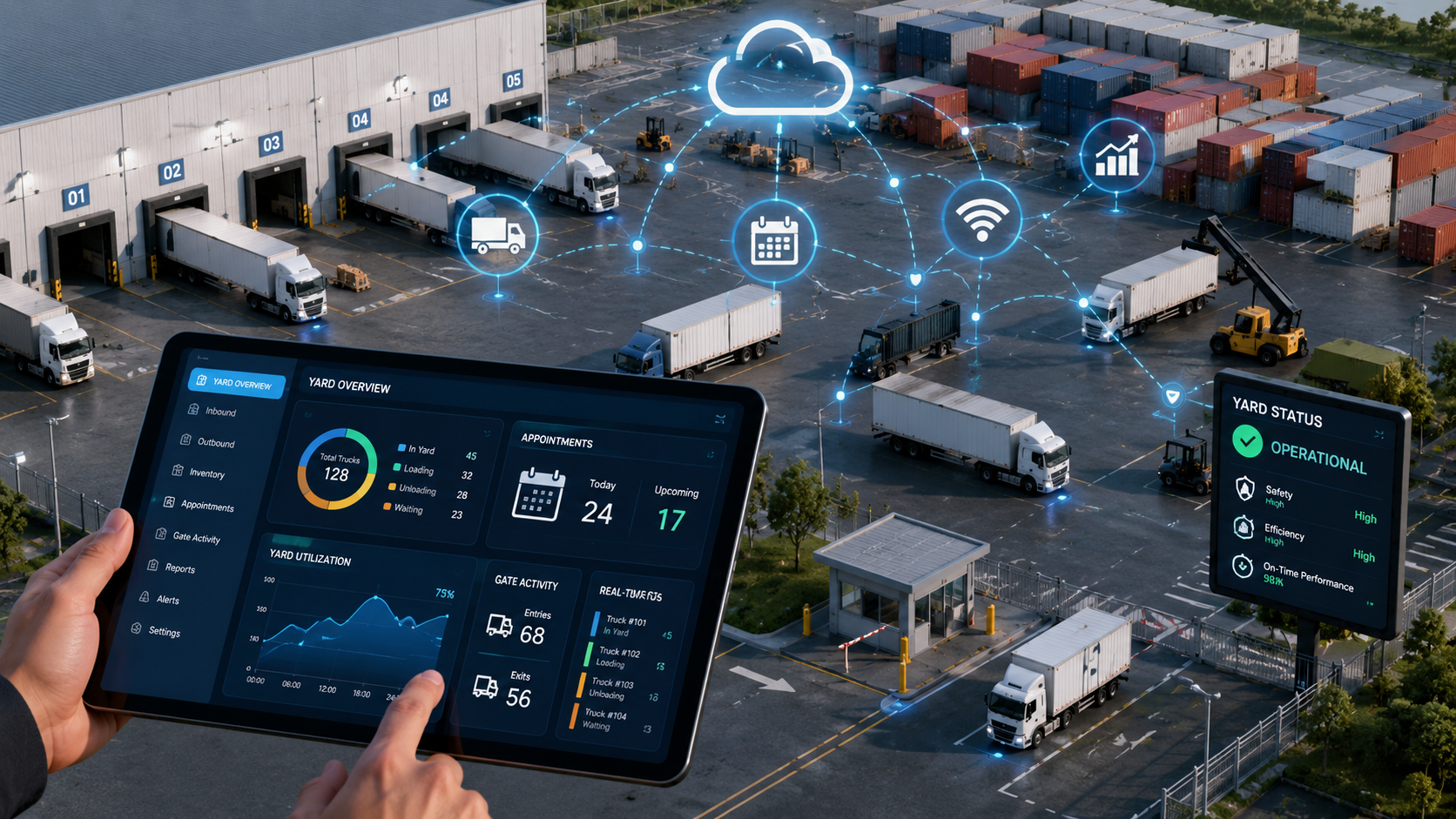
Yard Management System Benefits: How Digitizing Your Yard Drives ROI in 2026

Managing a busy yard manually can quickly become complicated. Trucks arrive at different times, drivers wait for instructions, trailers need to be located, inventory moves between different areas, and yard teams need to coordinate with warehouse and transportation operations.

As supply chains become more connected and customer expectations continue to increase, businesses are looking for smarter ways to manage these operations.

This is where a Yard Management System (YMS) can make a significant difference.

A modern YMS helps businesses digitize yard operations, improve visibility, reduce unnecessary delays, and optimize the movement of trucks, trailers, containers, and inventory within the yard.

More importantly, it can deliver measurable financial benefits.

In this article, we’ll explore the key benefits of a Yard Management System, how it improves operational efficiency, and why digitizing your yard can generate strong ROI in 2026.

What Is a Yard Management System?

A Yard Management System is a software solution designed to manage and optimize activities taking place within a warehouse, distribution center, manufacturing facility, logistics hub, or transportation yard.

A YMS can help businesses manage:

  • Truck arrivals and departures
  • Gate operations
  • Trailer and container tracking
  • Dock scheduling
  • Yard inventory
  • Driver check-in and check-out
  • Vehicle movement
  • Dock assignments
  • Yard capacity
  • Shipment visibility
  • Real-time alerts
  • Yard worker tasks

Instead of relying on spreadsheets, phone calls, paperwork, and manual communication, businesses can centralize yard operations through a digital platform.


Why Should Businesses Digitize Yard Operations?

The yard is often an overlooked part of the supply chain.

A warehouse may have sophisticated warehouse management software, while transportation teams may use transportation management systems. However, the area connecting these operations—the yard—can still depend heavily on manual processes.

This can create problems such as:

  • Long truck waiting times
  • Poor yard visibility
  • Misplaced trailers
  • Dock congestion
  • Manual data entry
  • Communication gaps
  • Unplanned vehicle movements
  • Driver delays
  • Increased labor costs
  • Poor utilization of yard space

Digitizing yard operations can help eliminate many of these inefficiencies.


Top Benefits of a Yard Management System in 2026

1. Real-Time Yard Visibility

One of the biggest benefits of a YMS is real-time visibility.

Instead of asking employees where a trailer or truck is located, teams can access the information directly through the system.

A modern YMS can provide visibility into:

  • Vehicle location
  • Trailer status
  • Dock status
  • Shipment status
  • Yard capacity
  • Arrival times
  • Departure times
  • Loading and unloading activities

This allows managers to make faster and better decisions.


2. Reduced Truck Waiting Time

Truck detention and waiting time can become a major operational expense.

When trucks arrive without proper scheduling or coordination, drivers may spend significant time waiting for:

  • Gate clearance
  • Dock availability
  • Loading
  • Unloading
  • Yard assignments
  • Documentation

A YMS can automate scheduling and coordinate yard activities to reduce unnecessary waiting.

Less waiting means:

Faster truck turnaround → Better fleet utilization → Lower operating costs


3. Better Dock Management

Dock congestion can negatively affect both warehouse and transportation operations.

A Yard Management System can help assign docks based on:

  • Shipment priority
  • Vehicle type
  • Appointment time
  • Product requirements
  • Dock availability
  • Loading or unloading requirements

This improves dock utilization and helps prevent bottlenecks.


4. Improved Gate Management

The gate is often the first and last point of interaction for trucks entering a facility.

Traditional gate processes may involve:

  • Paperwork
  • Manual verification
  • Phone calls
  • Data entry
  • Security checks

A digital YMS can automate many of these processes.

Features may include:

  • Digital check-in
  • Driver verification
  • Appointment validation
  • Automated gate passes
  • Vehicle identification
  • Digital documentation
  • Check-out tracking

This can significantly reduce gate processing time.


5. Better Trailer and Container Tracking

Finding the right trailer or container can be difficult when yard operations are managed manually.

A YMS provides a centralized view of yard assets and their current status.

Teams can quickly determine:

  • Where a trailer is located
  • Whether it is loaded or empty
  • Which dock it is assigned to
  • When it arrived
  • How long it has been in the yard
  • Whether it is ready for departure

This reduces the time employees spend searching for assets.


6. Increased Labor Productivity

Manual yard management requires employees to spend time on repetitive activities.

For example:

  • Updating spreadsheets
  • Calling drivers
  • Checking vehicle locations
  • Assigning parking positions
  • Tracking trailer movements
  • Communicating dock changes

A YMS can automate many of these tasks.

Employees can then spend more time on activities that require human decision-making.


7. Reduced Detention and Demurrage Costs

Unexpected delays can lead to additional transportation costs.

For certain operations, prolonged container or trailer dwell time may result in detention, demurrage, or other accessorial charges.

By improving visibility and reducing delays, a YMS can help businesses minimize these unnecessary costs.

This can be one of the most measurable financial benefits of yard digitization.


8. Better Yard Space Utilization

Yard space is limited and expensive.

Poor organization can result in:

  • Empty spaces
  • Congested areas
  • Inefficient trailer placement
  • Unnecessary vehicle movements
  • Difficulty locating assets

A YMS can help optimize yard capacity by providing better visibility into available and occupied spaces.

Some advanced systems can also recommend optimal parking or staging locations.


9. Improved Communication

Yard operations involve multiple stakeholders.

These may include:

  • Drivers
  • Yard operators
  • Warehouse teams
  • Security teams
  • Transportation managers
  • Dock workers
  • Suppliers
  • Carriers

A centralized digital system helps ensure everyone works with the same information.

Instead of relying on multiple phone calls or messages, teams can access updated information from one platform.


10. Better Data and Analytics

One of the biggest advantages of digitization is access to operational data.

A YMS can help track metrics such as:

  • Average truck dwell time
  • Gate processing time
  • Dock utilization
  • Trailer dwell time
  • Yard capacity
  • Truck turnaround time
  • Appointment adherence
  • Yard movements
  • Labor productivity

Managers can use these insights to identify bottlenecks and continuously improve operations.


How Does a Yard Management System Generate ROI?

The ROI of a YMS comes from reducing operational costs and improving asset utilization.

The financial impact can come from several areas.

Labor Savings

Automation reduces repetitive manual tasks.

Reduced Truck Waiting

Faster turnaround improves transportation efficiency.

Lower Detention Costs

Better coordination can reduce avoidable delays.

Improved Asset Utilization

Better visibility helps companies use trailers and equipment more effectively.

Increased Throughput

More efficient yard operations allow facilities to process more vehicles without necessarily expanding physical infrastructure.

Better Space Utilization

Optimized yard layouts can increase effective capacity.


A Simple Yard Management ROI Example

Consider a distribution facility that handles 100 trucks per day.

Suppose inefficient yard operations result in an average of 30 minutes of unnecessary waiting per truck.

That represents:

100 trucks × 30 minutes = 3,000 minutes

That’s approximately:

50 hours of waiting every day.

Even a small reduction in waiting time can create significant savings when multiplied across hundreds or thousands of truck movements every month.

A YMS can help reduce these delays through better appointment scheduling, real-time visibility, automated gate processes, and improved dock coordination.

The exact ROI will depend on the facility’s volume, labor costs, detention charges, operational processes, and YMS implementation cost.


Important Features of a Modern Yard Management System

When evaluating a YMS in 2026, businesses should consider features such as:

Real-Time Yard Visibility

Track vehicles, trailers, containers, and yard activities.

Appointment Scheduling

Manage incoming and outgoing vehicle appointments.

Digital Gate Management

Automate check-in and check-out processes.

Dock Management

Improve dock assignment and scheduling.

Trailer Tracking

Monitor trailer locations and status.

Yard Mapping

Visualize available and occupied yard spaces.

Automated Notifications

Send alerts to drivers, operators, and managers.

Analytics Dashboard

Monitor KPIs and operational performance.

Mobile Access

Allow yard teams to access information from mobile devices.

System Integrations

Connect the YMS with other business systems.


YMS Integration With Other Supply Chain Systems

A Yard Management System becomes even more valuable when integrated with existing technology.

Common integrations include:

  • Warehouse Management System (WMS)
  • Transportation Management System (TMS)
  • Enterprise Resource Planning (ERP)
  • Enterprise systems
  • Transportation carriers
  • Barcode systems
  • RFID
  • IoT sensors
  • GPS tracking
  • Access control systems

Integration creates a more connected supply chain where information can move between systems automatically.


Yard Management System and IoT

IoT technology can make yard management even smarter.

Connected devices and sensors can provide real-time information about:

  • Trailer locations
  • Vehicle movements
  • Equipment status
  • Yard occupancy
  • Temperature
  • Asset conditions

This data can be used by the YMS to improve visibility and automate decisions.


The Role of AI in Yard Management

Artificial intelligence is becoming increasingly relevant to logistics operations.

AI-powered YMS solutions can potentially help businesses:

  • Predict yard congestion
  • Recommend optimal dock assignments
  • Forecast truck arrivals
  • Optimize trailer positioning
  • Identify operational bottlenecks
  • Predict delays
  • Improve resource allocation

Instead of simply showing what is happening, future systems will increasingly help businesses determine what should happen next.


Challenges of Implementing a YMS

Although a YMS can provide significant benefits, implementation requires planning.

Common challenges include:

Integration Complexity

Connecting the YMS with existing WMS, TMS, ERP, and other systems can require technical planning.

Employee Adoption

Employees need proper training and support during the transition.

Data Quality

Accurate master data and operational information are important for reliable system performance.

Process Changes

Digitization may require businesses to redesign existing yard processes.

Initial Investment

Software implementation, integration, hardware, training, and customization can create an upfront cost.

However, these costs should be evaluated against the long-term operational savings and productivity improvements.


How to Successfully Implement a Yard Management System

A successful implementation should start with understanding current operations.

Step 1: Analyze Existing Processes

Identify current bottlenecks and manual processes.

Step 2: Define Business Goals

Determine what you want to improve.

For example:

  • Reduce truck waiting time
  • Reduce detention costs
  • Improve yard visibility
  • Increase dock utilization

Step 3: Select the Right YMS

Choose a platform that supports your operational requirements and future growth.

Step 4: Plan Integrations

Identify the systems that need to exchange data with the YMS.

Step 5: Train Employees

Provide training to drivers, yard operators, managers, and other stakeholders.

Step 6: Measure Results

Track KPIs before and after implementation to determine the actual ROI.


Key KPIs to Measure YMS ROI

Businesses should measure performance before and after implementing a YMS.

Important KPIs include:

  • Truck turnaround time
  • Average dwell time
  • Gate processing time
  • Dock utilization
  • Trailer dwell time
  • Detention costs
  • Labor hours
  • Yard capacity utilization
  • Appointment adherence
  • Number of manual transactions

These metrics provide a clear picture of whether the technology is delivering the expected business value.


Is a Yard Management System Worth the Investment?

For businesses managing high-volume yards, warehouses, distribution centers, manufacturing facilities, and logistics operations, a YMS can provide significant operational value.

The biggest benefits come from:

Visibility + Automation + Better Coordination + Data-Driven Decisions

Instead of treating the yard as an isolated part of the supply chain, businesses can make it a connected and intelligent operation.

The result can be faster truck turnaround, better asset utilization, reduced operational costs, and improved customer service.

Final Thoughts

Yard operations play an important role in overall supply chain performance.

When yards depend on manual processes, spreadsheets, phone calls, and disconnected systems, small inefficiencies can quickly become expensive.

A modern Yard Management System helps businesses digitize these operations, improve real-time visibility, automate workflows, and make better decisions.

In 2026, the question is no longer simply whether businesses should digitize their yards. The bigger question is how quickly they can turn yard data into measurable operational and financial improvements.

For organizations handling significant truck, trailer, container, or warehouse activity, investing in the right YMS can become an important step toward building a more efficient, scalable, and technology-driven supply chain.

Frequently Asked Questions

What is a Yard Management System?

A Yard Management System is software that helps businesses manage and optimize vehicles, trailers, containers, docks, gates, inventory, and other activities within a logistics or warehouse yard.

What are the main benefits of a YMS?

The main benefits include improved yard visibility, reduced truck waiting time, better dock utilization, lower detention costs, improved labor productivity, and better asset utilization.

Can a YMS reduce logistics costs?

Yes. By reducing waiting time, improving scheduling, optimizing yard space, and reducing manual processes, a YMS can help businesses reduce several operational costs.

Can a YMS integrate with WMS and TMS?

Yes. Modern YMS platforms can integrate with Warehouse Management Systems, Transportation Management Systems, ERP platforms, IoT devices, GPS systems, and other supply chain technologies.

How does AI improve yard management?

AI can help predict congestion, optimize vehicle and dock assignments, forecast arrivals, identify bottlenecks, and improve resource planning.

Is a YMS suitable for small businesses?

It depends on operational complexity and yard volume. Businesses with frequent truck movements, multiple docks, trailers, or significant yard congestion may benefit from YMS technology even if they are not large enterprises.


"Tech tools are the threads, but the fabric is woven through the way we understand each other, grow, and heal together."

aaru6205
Lead Strategist
Uncategorized / August 16, 2026

How Much Does It Cost to Build a Chatbot in 2026?

How much does it cost to build a chatbot? This is one of the first questions businesses ask when planning an AI-powered customer support, sales, or automation solution. The short answer is: the cost of building a chatbot can range from around $1,000 to $50,000+, while complex enterprise-grade AI assistants can cost significantly more. The […]

How much does it cost to build a chatbot? This is one of the first questions businesses ask when planning an AI-powered customer support, sales, or automation solution.

The short answer is: the cost of building a chatbot can range from around $1,000 to $50,000+, while complex enterprise-grade AI assistants can cost significantly more.

The actual price depends on several factors, including chatbot complexity, AI technology, integrations, number of platforms, customization, security requirements, and ongoing maintenance.

In 2026, businesses are moving beyond basic rule-based chatbots and adopting AI-powered assistants that can understand natural language, search company knowledge bases, qualify leads, answer customer questions, and even perform business actions.

In this guide, we will explain chatbot development costs, different types of chatbots, major cost factors, development timelines, ongoing expenses, and how to choose the right chatbot solution for your business.


Quick Answer: How Much Does It Cost to Build a Chatbot?

The cost of chatbot development generally falls into these ranges:

Type of Chatbot Estimated Development Cost Typical Timeline
Basic FAQ / Rule-Based Chatbot $1,000 – $5,000 1–3 weeks
AI-Powered Chatbot $5,000 – $20,000 4–8 weeks
Custom AI Chatbot with RAG $10,000 – $40,000+ 6–12 weeks
Multi-Platform AI Chatbot $15,000 – $50,000+ 8–16 weeks
Enterprise AI Assistant $50,000+ 3–6+ months

These are indicative development ranges, not fixed prices. A chatbot with a simple website widget and predefined answers is very different from an AI assistant connected to a CRM, ERP, payment system, internal documents, and multiple communication channels.

Current 2026 pricing guides similarly show that chatbot development costs vary primarily according to intelligence level, integrations, channels, data complexity, and security requirements.


What Is a Chatbot?

A chatbot is a software application that communicates with users through text or voice.

Traditional chatbots generally work using predefined rules and decision trees. Modern AI chatbots use technologies such as:

  • Artificial Intelligence
  • Natural Language Processing (NLP)
  • Large Language Models (LLMs)
  • Retrieval-Augmented Generation (RAG)
  • Machine Learning
  • API integrations
  • Voice recognition
  • Automation workflows

A modern AI chatbot can do much more than answer predefined questions.

For example, an ecommerce chatbot can:

  • Recommend products
  • Answer product-related questions
  • Check order status
  • Help customers choose products
  • Generate leads
  • Connect with customer support
  • Provide personalized recommendations

This additional functionality is also what increases development cost.


Chatbot Development Cost by Type

Not every business needs the same type of chatbot. Understanding the different options can help you select the right solution and avoid unnecessary development expenses.

1. Basic Rule-Based Chatbot

A rule-based chatbot follows predefined conversation flows.

For example:

Customer: What are your business hours?

Chatbot: We are open Monday to Saturday, 9 AM to 6 PM.

These chatbots are relatively simple to develop and are suitable for businesses with a limited number of frequently asked questions.

Estimated Cost

$1,000 – $5,000

Best For

  • Small businesses
  • Basic customer support
  • FAQs
  • Lead collection
  • Appointment requests
  • Website navigation

2. AI-Powered Chatbot

AI-powered chatbots understand natural language and can generate more flexible responses.

Instead of requiring users to select predefined buttons, users can communicate naturally.

For example:

“I want to order a laptop under $1,000 with at least 16GB RAM.”

The chatbot can understand the request and provide relevant recommendations.

Estimated Cost

$5,000 – $20,000

The cost depends on the AI model, conversation complexity, user interface, integrations, and expected traffic.


3. RAG-Based AI Chatbot

RAG stands for Retrieval-Augmented Generation.

A RAG chatbot can retrieve information from your company’s own knowledge base before generating a response.

For example, a company could connect the chatbot to:

  • Product documentation
  • PDFs
  • Knowledge bases
  • Company policies
  • Technical documentation
  • FAQs
  • Internal databases
  • Support documentation

This makes RAG particularly useful for businesses that want an AI assistant to answer questions using their own information.

Estimated Cost

$10,000 – $40,000+

The cost can increase depending on the amount and complexity of data, retrieval architecture, permissions, integrations, and evaluation requirements.


4. WhatsApp and Multi-Channel Chatbot

Businesses may want their chatbot to work across multiple channels rather than only on their website.

Possible channels include:

  • Website
  • WhatsApp
  • Facebook Messenger
  • Mobile application
  • Telegram
  • Voice
  • Customer support platforms

Each additional channel requires additional integration, testing, authentication, and maintenance.

Estimated Cost

$15,000 – $50,000+

For example, a business might have:

Website + WhatsApp + CRM + AI + Human Support

This will cost considerably more than a simple website FAQ chatbot.


5. Enterprise AI Chatbot

Enterprise chatbots are designed for large organisations and complex workflows.

An enterprise AI assistant may include:

  • Advanced AI models
  • RAG
  • CRM integration
  • ERP integration
  • Payment integration
  • Multiple languages
  • Role-based access
  • Analytics
  • Admin dashboard
  • Audit logs
  • Security controls
  • Human handoff
  • Multiple communication channels
  • Custom business workflows

Estimated Cost

$50,000+

Highly customised enterprise systems can reach significantly higher budgets depending on the architecture and business requirements.


What Factors Affect Chatbot Development Cost?

The chatbot’s features and technical requirements are the biggest factors behind its development cost.

1. Chatbot Complexity

A chatbot answering five predefined questions is much easier to develop than an AI assistant capable of handling hundreds of different customer requests.

The more complex the conversation logic, the more development and testing are required.


2. AI Model

The choice of AI model can affect both development and operational costs.

Depending on your requirements, developers may use:

  • Commercial LLM APIs
  • Open-source AI models
  • Custom AI models
  • Hybrid AI architectures

For many businesses, using an existing AI API is more practical than developing an AI model from scratch.


3. Custom UI/UX Design

A chatbot isn’t only about backend technology.

The user interface also affects the overall user experience.

A custom chatbot may require:

  • Chat interface
  • Conversation states
  • Quick actions
  • Product cards
  • Forms
  • File uploads
  • Voice interaction
  • Error states
  • Human-agent handoff

A professionally designed interface can improve user engagement and make the chatbot feel like a natural part of your product.


4. Third-Party Integrations

Integrations can significantly increase chatbot development costs.

A chatbot might need to communicate with:

  • Salesforce
  • HubSpot
  • Zoho
  • Shopify
  • WooCommerce
  • SAP
  • Microsoft Dynamics
  • Payment gateways
  • Helpdesk software
  • Custom APIs

For example, a chatbot that only answers questions is relatively simple.

But a chatbot that can:

Check order → update customer → create support ticket → process request

requires significantly more backend development and testing.

Integration depth is one of the major cost drivers in modern AI chatbot projects.


5. Number of Languages

If your chatbot needs to support multiple languages, additional development and testing may be required.

For example:

  • English
  • Hindi
  • Spanish
  • French
  • German
  • Arabic

Multilingual chatbots require appropriate language handling, testing, content, and sometimes additional AI configuration.


6. Voice Chatbot Development

Voice-enabled AI assistants are more complex than text-based chatbots.

A voice chatbot may require:

Speech-to-Text → AI Processing → Text-to-Speech

Additional requirements may include:

  • Voice recognition
  • Speech processing
  • Real-time response
  • Call integration
  • Voice analytics
  • Call recording
  • Human escalation

As a result, voice AI can significantly increase the development budget.


7. Security and Compliance

For businesses handling sensitive information, security is extremely important.

Depending on the industry, a chatbot may require:

  • Authentication
  • Encryption
  • Role-based access
  • Data protection
  • Secure APIs
  • Audit logging
  • Access controls
  • Data retention policies

Healthcare, finance, insurance, and enterprise applications typically require more security and compliance work than a basic marketing chatbot.


8. Admin Dashboard

Many businesses need an administration panel to manage their chatbot.

An admin dashboard can allow businesses to:

  • View conversations
  • Manage FAQs
  • Update knowledge sources
  • Monitor chatbot performance
  • View leads
  • Manage users
  • Review unanswered questions
  • Track analytics

Building a custom dashboard adds to the overall project cost but can make the chatbot much easier to manage after launch.


Chatbot Development Cost in India

India is one of the popular destinations for software and AI development because businesses can access experienced development teams at competitive rates.

Indicative Indian market estimates in 2026 range from roughly ₹35,000–₹1.5 lakh for simple rule-based bots, around ₹1.5 lakh–₹8 lakh for more capable AI/NLP solutions, and ₹8 lakh–₹25 lakh or more for advanced generative/RAG systems, with enterprise voice and multi-channel solutions potentially costing considerably more.

Chatbot Type Approximate Cost in India
Basic FAQ Bot ₹35,000 – ₹1.5 Lakh
AI/NLP Chatbot ₹1.5 Lakh – ₹8 Lakh
Custom RAG Chatbot ₹8 Lakh – ₹25 Lakh+
Enterprise AI Assistant ₹25 Lakh+

The final quotation should always be based on the actual scope rather than selecting a chatbot from a price range.


How Long Does It Take to Build a Chatbot?

The development timeline depends on complexity.

Basic Chatbot

1–3 weeks

Suitable for FAQs, simple lead collection, and predefined conversations.

AI Chatbot

4–8 weeks

Includes AI integration, custom conversation flows, testing, and deployment.

RAG Chatbot

6–12 weeks

Requires knowledge ingestion, retrieval architecture, AI integration, testing, and evaluation.

Enterprise AI Assistant

3–6+ months

May require multiple integrations, security systems, admin tools, multiple channels, and extensive testing.


What Are the Ongoing Costs of a Chatbot?

Development is only one part of the total chatbot investment.

After launch, businesses may have recurring expenses such as:

AI API Costs

If your chatbot uses an external AI model, you may pay based on usage.

The actual cost depends on:

  • Number of conversations
  • Input tokens
  • Output tokens
  • Model selection
  • Conversation length

Hosting

You may also need cloud infrastructure for:

  • Application hosting
  • Databases
  • Vector databases
  • File storage
  • Monitoring

Maintenance

Regular maintenance may include:

  • Bug fixes
  • AI model updates
  • Security updates
  • Knowledge-base updates
  • Performance optimization
  • New integrations

Support

Businesses may also choose a monthly support and maintenance plan.

Therefore, the total cost of ownership should include both initial development and ongoing operational expenses.


How to Reduce Chatbot Development Cost

You don’t always need to build the most advanced chatbot from day one.

Here are some practical ways to control your budget.

Start With an MVP

Begin with the most important use cases.

For example:

  1. Answer FAQs
  2. Capture leads
  3. Recommend products
  4. Connect users to human support

Once the chatbot proves its value, additional functionality can be added.


Use Existing AI APIs

Training a large language model from scratch can be extremely expensive.

For many businesses, using an existing AI API is a more practical approach.


Limit Initial Integrations

Instead of integrating with five business systems immediately, start with the one or two systems that provide the most value.

You can add additional integrations later.


Define Your Use Cases Clearly

Before development begins, identify:

  • Who will use the chatbot?
  • What questions should it answer?
  • What actions should it perform?
  • What systems should it connect to?
  • When should it transfer users to a human?

A clearly defined scope can prevent unnecessary development costs.


Build vs Buy: Which Chatbot Approach Is Better?

Businesses generally have three options.

1. No-Code Chatbot

Best for simple requirements.

Advantages:

  • Quick setup
  • Lower initial cost
  • Easy to manage

Limitations:

  • Limited customization
  • Limited integrations
  • Less control

2. Custom Chatbot Development

Best for businesses with unique requirements.

Advantages:

  • Complete customization
  • Custom integrations
  • Better control
  • Scalable architecture

Limitations:

  • Higher initial development cost
  • Requires technical expertise

3. Enterprise AI Solution

Best for organisations with complex workflows and security requirements.

It provides maximum customisation but requires a larger investment and longer development timeline.


Is Building a Chatbot Worth the Investment?

For many businesses, the answer can be yes—but only when the chatbot solves a clearly defined business problem.

A chatbot can help businesses:

  • Reduce repetitive support requests
  • Generate leads 24/7
  • Improve response times
  • Automate customer service
  • Qualify prospects
  • Improve customer experience
  • Reduce manual workload
  • Provide instant information

The return on investment depends on how effectively the chatbot is integrated into the company’s actual business processes.

A cheap chatbot that doesn’t solve a real problem can be more expensive in the long run than a well-designed AI assistant that delivers measurable business value.


Final Thoughts

So, how much does it cost to build a chatbot?

A basic chatbot can start from around $1,000, while a custom AI chatbot can cost $5,000–$20,000 or more. Advanced RAG, multi-channel, and enterprise AI assistants can require $40,000–$50,000+, depending on integrations, security, data complexity, and business workflows.

The most important thing is not to choose a chatbot based only on price.

Instead, define what you want the chatbot to accomplish, which platforms it needs to support, what data it needs access to, and what business systems it needs to connect with.

A professional chatbot development team can then recommend the right architecture and provide a realistic estimate based on your requirements.

Looking to Build an AI Chatbot for Your Business?

Whether you need a simple website chatbot, an AI-powered customer support assistant, a RAG-based knowledge chatbot, or a custom enterprise AI solution, the right development approach can help you build a scalable and cost-effective solution.

Contact our AI development team to discuss your chatbot requirements and get a customized project estimate.


Frequently Asked Questions

How much does it cost to build a chatbot?

A basic chatbot can cost around $1,000–$5,000, while AI-powered and custom chatbots can range from $5,000 to $40,000+. Enterprise solutions may cost significantly more.

How much does an AI chatbot cost in India?

Depending on complexity, AI chatbot development in India can range from approximately ₹1.5 lakh to ₹25 lakh+, while advanced enterprise solutions may require a substantially larger budget.

How long does it take to develop a chatbot?

A simple chatbot may take 1–3 weeks. A custom AI chatbot can take 4–8 weeks, while complex RAG and enterprise solutions may take several months.

What is the cheapest way to build a chatbot?

Using a no-code chatbot platform or building a simple rule-based chatbot is generally the lowest-cost approach. However, custom development may provide better long-term value when advanced functionality or integrations are required.

Does a chatbot have monthly costs?

Yes. Depending on the solution, ongoing costs can include AI API usage, cloud hosting, database infrastructure, monitoring, maintenance, and third-party services.

Can a chatbot integrate with a CRM?

Yes. Custom chatbots can be integrated with CRM platforms, helpdesk systems, ecommerce platforms, ERP software, payment gateways, and custom business APIs.

Can I build a chatbot for WhatsApp?

Yes. Businesses can develop WhatsApp-based chatbots and connect them with AI models, CRM systems, ecommerce platforms, customer support systems, and other business applications.

Is an AI chatbot better than a rule-based chatbot?

It depends on the use case. Rule-based chatbots are suitable for simple predefined workflows, while AI chatbots are better when users need to ask questions naturally or when the chatbot needs to understand complex requests.

"Tech tools are the threads, but the fabric is woven through the way we understand each other, grow, and heal together."

aaru6205
Lead Strategist
Industries We Serve

Tailored Solutions for Every Sector

Explore the industries we specialize in and discover digital solutions built for your domain.

01 Property

Real Estate

Smart digital solutions for modern real estate businesses and property management.

02 E-Learning

Education

Scalable learning platforms, mobile apps, and smart classroom solutions.

03 Services

On-Demand

On-demand platforms with real-time tracking, secure payments, and scale.

04 Medical

Healthcare

Secure telemedicine and healthcare management systems for smarter care.

05 Mobility

Automotives

Connected mobility apps and analytics for automotive innovation.

06 Fintech

Banking

Intelligent financial solutions powered by data systems and AI models.

07 Hospitality

Travel & Tours

Smart booking systems and travel apps for seamless guest experiences.

09 Logistics

GPS Tracking

Fleet management and real-time location intelligence for logistics teams.

Don't see your industry? We adapt our expertise to your unique business needs.

Discuss Your Project
Awards & Accolades

Trusted by the World's Best Brands & Institutions

Our commitment to excellence has earned us recognition from industry leaders globally.

“We collaborated with them on a custom AI-based solution, and the experience was quite positive. The team was skilled, responsive, and easy to work with. They understood our requirements and provided practical suggestions to improve the outcome. The final solution works as expected and adds value to our digital strategy.”
Aarunova-Testimonial-Camille-Dubois
Camille Dubois
Digital Manager
“From a technical perspective, the team delivered good quality code and followed standard development practices. They were open to discussions and made adjustments where needed. Communication was generally smooth, and they handled requirements in a structured way. The final product is stable and performs well, which is what matters most.”
Aarunova-Testimonial-Felix-Wagner
Felix Wagner
Software Engineer
“We hired them for our mobile app development, and the process was handled professionally. They provided regular updates and maintained transparency throughout the project. There were minor delays in between, but they communicated clearly and managed expectations well. The final product works smoothly and meets our requirements. Overall, a reliable development partner.”
Aarunova-Testimonial-Liam-Carter
Liam Carter
Startup Founder
“The design quality delivered by the team was impressive. They created a modern and user-friendly interface that aligns well with our brand. We went through a few iterations, but they were always open to feedback and made necessary adjustments without delay. The final design not only looks good but also improves usability. A great team for UI/UX-focused projects.”
Aarunova-Testimonial-Amanda-Lee
Amanda Lee
Product Designer
“Our experience working with them on a blockchain-based feature was smooth and well-managed. The team demonstrated strong technical understanding and followed a structured development process. Communication was clear, and they kept us updated throughout the project. The final solution is secure and performs as expected. It was a professional collaboration from start to finish.”
Aarunova-Testimonial-Jason-Miller
Oliver Scott
Technical Consultant
“We approached them for an AI chatbot solution to improve our customer support, and it has made a noticeable difference. The chatbot handles basic queries efficiently and reduces manual workload for our team. The setup phase required some back-and-forth, but they were patient and guided us through the process. It’s a practical and useful solution that adds value to our business.”
Aarunova-Testimonial-Jason-Miller
Jason Miller
Small Business Owner
“The healthcare platform developed by their team has been a great addition to our operations. It is easy to use, reliable, and meets our core business needs. What we appreciated most was their responsiveness and willingness to adapt to changes during development. They ensured proper testing before delivery, which made the launch smooth. Overall, a dependable team for healthcare-related projects.”
Aarunova-Testimonial-Neha-Verma
Neha Verma
Operations Manager
“We partnered with this team for developing our education app, and the experience was very positive overall. From the beginning, they took time to understand our requirements and target audience. The UI/UX they delivered is clean, intuitive, and works well for students. There were a few revisions during the process, but the team handled feedback professionally and made improvements quickly. The final product is stable and scalable, and we’re happy with the results.”
Aarunova-Testimonial-Rahul-Sharma
Rahul Sharma
Co-Founder, EdTech Startup
Awards & Accolades

Trusted by the World's Best Brands & Institutions

Our commitment to excellence has earned us recognition from industry leaders globally.

Clutch

Clutch

Top Blockchain App
Development Company

Clutch

Top App Firms

Top AI App Development
Company

Clutch

The Hindu

Top Startup App
Development Company

Clutch

Entrepreneur

Top MVP App Development
Company

Clutch

Hindustan Times

Top Fitness App
Development Company

Free Project Consultation

Start your custom software development project

Share your goals for web, mobile, or enterprise software. Aarunova’s engineers reply within one business day with clear next steps, timelines, and a practical build plan.

Client testimonial from Camille Dubois on Aarunova custom software and digital product delivery
“We collaborated with them on a custom AI-based solution, and the experience was quite positive. The team was skilled, responsive, and easy to work with. They understood our requirements and provided practical suggestions to improve the outcome. The final solution works as expected and adds value to our digital strategy.”
Camille Dubois

Digital Manager

Client testimonial from Felix Wagner on Aarunova custom software and digital product delivery
“From a technical perspective, the team delivered good quality code and followed standard development practices. They were open to discussions and made adjustments where needed. Communication was generally smooth, and they handled requirements in a structured way. The final product is stable and performs well, which is what matters most.”
Felix Wagner

Software Engineer

Client testimonial from Liam Carter on Aarunova custom software and digital product delivery
“We hired them for our mobile app development, and the process was handled professionally. They provided regular updates and maintained transparency throughout the project. There were minor delays in between, but they communicated clearly and managed expectations well. The final product works smoothly and meets our requirements. Overall, a reliable development partner.”
Liam Carter

Startup Founder

Client testimonial from Amanda Lee on Aarunova custom software and digital product delivery
“The design quality delivered by the team was impressive. They created a modern and user-friendly interface that aligns well with our brand. We went through a few iterations, but they were always open to feedback and made necessary adjustments without delay. The final design not only looks good but also improves usability. A great team for UI/UX-focused projects.”
Amanda Lee

Product Designer

Client testimonial from Oliver Scott on Aarunova custom software and digital product delivery
“Our experience working with them on a blockchain-based feature was smooth and well-managed. The team demonstrated strong technical understanding and followed a structured development process. Communication was clear, and they kept us updated throughout the project. The final solution is secure and performs as expected. It was a professional collaboration from start to finish.”
Oliver Scott

Technical Consultant

Client testimonial from Jason Miller on Aarunova custom software and digital product delivery
“We approached them for an AI chatbot solution to improve our customer support, and it has made a noticeable difference. The chatbot handles basic queries efficiently and reduces manual workload for our team. The setup phase required some back-and-forth, but they were patient and guided us through the process. It’s a practical and useful solution that adds value to our business.”
Jason Miller

Small Business Owner

Latest Insights

Fresh Perspectives from Our Journal

Practical thoughts on product strategy, engineering decisions, and digital growth.

Ready to scale your business?

Partner with Experts to Build Secure, High-Performance Digital Solutions

Let's discuss your product goals and launch a scalable web or mobile experience tailored to your users.